Documentation6 déc. 20257 min de lecture
Creer une SOP en 20 minutes avec l enregistrement ecran et l IA
Une methode simple pour passer des clics bruts a une SOP claire sans tout rediger a la main.
Lire l articleEnregistrez des workflows web, générez une documentation IA, puis exportez des guides prêts à partager en HTML, PDF et vidéo.
Amount: $4,500 • Due Oct 24
5 steps • 00:18 duration
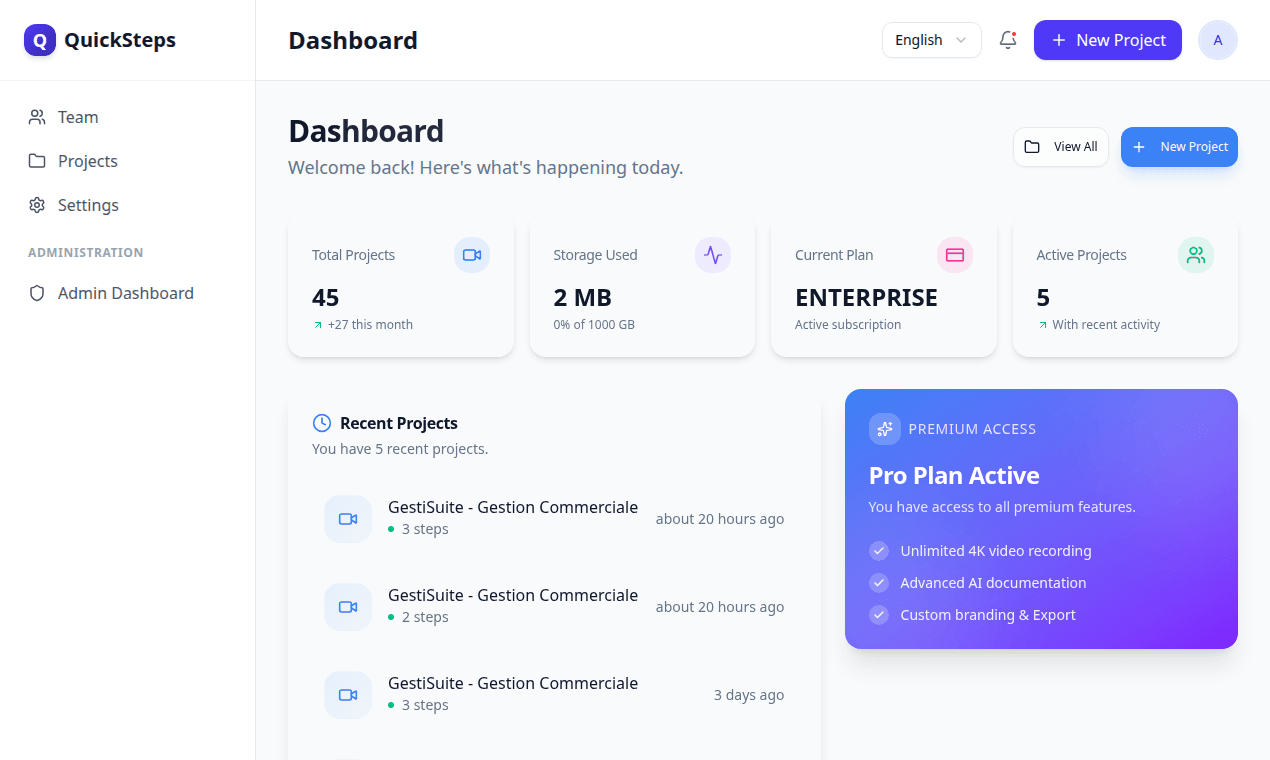
Voici l'application QuickSteps en production. Les équipes peuvent capturer un workflow, générer un guide IA, puis le publier sous forme de lien partagé ou l'exporter.
Clics, saisies, navigations et captures d’écran dans le bon ordre.
L’IA rédige les titres, descriptions et le contexte utile de chaque étape.
Publiez une page guide avec étapes ordonnées et zones d’action.
Téléchargez HTML, PDF et vidéo, avec options Pro Render.
Capturez le processus une fois, puis publiez une documentation que vos utilisateurs peuvent réellement suivre.
Lancez la capture depuis l’extension et réalisez la tâche normalement. QuickSteps enregistre les interactions clés, les captures d’écran et garde l’ordre des étapes cohérent.
L’IA rédige les titres et descriptions à partir des événements capturés. Dans l’éditeur, vous pouvez ajuster le texte, supprimer les étapes faibles et garder uniquement le flux essentiel.
1. Select the quote to transfer.
2. Open top menu and click Transfer.
Publiez un lien pour votre équipe ou exportez le workflow en HTML, PDF et vidéo. Les utilisateurs premium peuvent lancer Pro Render pour un rendu MP4 serveur avancé.
La landing présente les capacités réellement disponibles dans QuickSteps.
Enregistre les interactions importantes : clics, saisies de formulaires et navigations, avec captures d’écran et zones d’action.
Génère une documentation structurée en plusieurs langues à partir des étapes capturées, avec titres, descriptions et résumés modifiables.
Publiez des liens de partage et exportez les guides en HTML, PDF et vidéo. Les offres premium incluent Pro Render Beta côté serveur et des modèles avancés.
QuickSteps peut rendre des vidéos étape par étape avec intro/outro, sous-titres et modèles visuels pour faciliter la transmission aux utilisateurs.
L’éditeur peut réécrire les étapes, conserver le contexte de séquence et préserver les variables comme les numéros de document pour garder le guide réutilisable.
Générez des versions EN, FR, ES et AR.
Gardez les identifiants dynamiques sous forme de placeholders.
Commencez gratuitement, puis passez à une offre supérieure quand votre équipe a besoin de plus de limites IA et collaboration.
$0
Parfait pour démarrer.
$9 / mois
Pour les professionnels indépendants.
$19 / mois
Pour les équipes et agences.
Des cas d’usage où QuickSteps apporte une valeur immédiate.
Transformez les tâches support répétitives en guides réutilisables et réduisez le temps d’intégration des nouveaux collaborateurs.
Capturez les workflows métier depuis vos apps ERP/CRM et publiez des SOP claires avec un ordre d’étapes cohérent.
Exportez les guides en HTML, PDF ou vidéo pour la formation interne et l’accompagnement client.
Les flux de capture et de synchronisation sont validés avant l’envoi, et les guides publiés peuvent être partagés par lien avec des options de contrôle d’accès.
Centré sur l’usage réel, la qualité de capture et le workflow de publication.
Des playbooks pratiques pour automatiser la documentation et publier plus vite.
Une methode simple pour passer des clics bruts a une SOP claire sans tout rediger a la main.
Lire l articleUne approche reproductible pour accelerer l onboarding sans perdre en qualite ni en conformite.
Lire l articleUne checklist pratique pour deployer l automatisation documentaire sans casser les workflows existants.
Lire l article